Apartments & Rentals - Zillow
- 4.8
- Rating
- 5.00M
- Installs
- Free
- Price

 Analysis by App-foxy
Finding a rental can become frustrating long before you contact a landlord. Listings change, search areas can be too broad, and a promising apartment may disappear while you are still comparing it with another option. I spent time using Zillow as a rental-search app, and my overall impression is that it works best as a place to organize your search rather than as a complete renting service. It helps me narrow down homes, revisit possibilities, and notice new options without relying on a single property page or a stack of browser tabs.
Zillow is a free House & Home app from Zillow, aimed at people looking for apartments and rental houses. It is rated for Everyone, so its basic audience is broad, although the real usefulness depends on how clearly you know your budget, preferred area, and non-negotiable requirements. The app has been available since April 29, 2012, and its current version is 2026.17.0.100650 for devices running operating system version 10 or later. Its scale is also reassuring: it has passed 5 million installs and holds a 4.8 average from roughly 72 thousand ratings, with about 9.3 thousand written reviews.
Where the rental search usually gets stuck
The first difficulty is not opening the app; it is deciding what to search for. If I enter only a city and a general price range, I can easily create a long list that looks useful but is difficult to compare. A better starting point is to separate firm limits from preferences. For example, I would treat the maximum monthly rent and the acceptable commute area as firm, while treating a balcony, a particular finish, or an extra room as negotiable. That makes the results more practical and reduces the temptation to judge every listing by one attractive photograph.
You May Also Like

 AccuWeather: Weather Radar
AccuWeather Review: A Quick, Clear Forecast for Everyday Decisions
For everyday plans, the best forecast is the one you can understand quickly. AccuWeather makes rain timing, radar, and local conditions easy to act on, with a few trade-offs.

 Hill Climb Racing
Why Hill Climb Racing Still Turns Crashes Into One More Run
A tiny car, a bumpy hill and one more upgrade: Hill Climb Racing keeps resurfacing because its simple chaos makes every near-miss feel personal.

 AliExpress - Shopping App
AliExpress Makes Global Shopping Feel Personal, but Shoppers Bear the Risk
AliExpress turns a global marketplace into a pocket-sized discovery engine. Its reach is useful, its shopping loop compelling, and its trade-offs easy to miss.

 Lords Mobile: Kingdom Wars
Lords Mobile Is a Kingdom-Building Routine, Not a Quick Match
A case-by-case verdict on the building, battles, device demands, and social commitments that make Lords Mobile rewarding for some players and exhausting for others.

 PDF Scanner app - TapScanner
TapScanner Makes Paperwork Easier to Capture, Check, and Share
TapScanner makes scanning with a phone feel less like a rescue operation and more like a dependable step in getting work done. Its capture tools are useful, though not flawless.

 Block Blast!
 Shows How Much a Puzzle Game Can Leave Out
A quiet grid game shows why puzzle players increasingly value instant clarity, repeatable skill and low-pressure play—and where the genre still needs to catch up.
More From Our News Desk
View All News


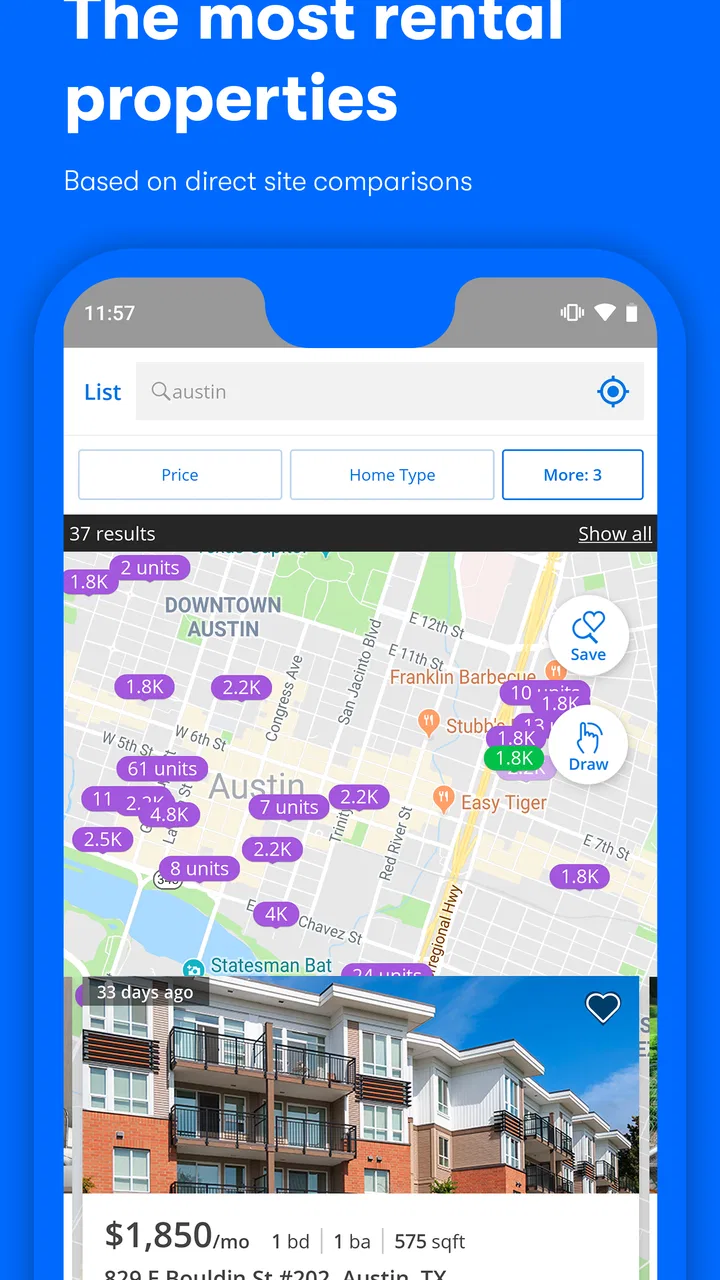
Map-based browsing is helpful when I am unfamiliar with a neighborhood, but it can also encourage a common mistake: assuming that nearby pins represent equally convenient locations. A home that appears close on the map may sit on the wrong side of a major road, far from a daily destination, or in an area that feels different from the surrounding blocks. I use the map to create a shortlist, then check each candidate against the actual route I would travel. Zillow can help me discover the address; it cannot replace that final reality check.
Another point where users get stuck is listing freshness. Rental homes are not static products. A home may still appear while an owner or agent is handling applications, changing details, or preparing to remove it. I therefore avoid treating a listing as available simply because it appears in a search. The useful action is to compare the posting details, look for a clear way to contact the responsible party, and ask direct questions before spending time preparing an application.
Photos can create a different kind of friction. A bright, carefully staged room may make an apartment feel larger than it is, while a limited photo set may hide important details. I pay attention to what the images do not show: storage, window direction, shared entrances, laundry arrangements, parking access, and the condition of less attractive rooms. This is one reason I prefer saving several realistic options instead of becoming attached to the first attractive listing.
Setup checks that prevent a messy shortlist
Before searching seriously, I would set a budget that includes more than the advertised rent. The app is useful for finding candidates, but the monthly figure shown for a property should not automatically be treated as the complete cost of living there. I make a separate note for utilities, parking, deposits, application expenses, moving costs, and any other charges that the contact person confirms. This simple habit prevents an apparently affordable home from taking over the shortlist.
I also check the search area in two ways. First, I search the neighborhood or city that I think I want. Then I repeat the search using nearby areas that would still work for my commute or daily routine. This helps reveal whether I am paying a premium for a name on the map rather than for a meaningful difference in location. Zillow is particularly useful here because it lets me explore the relationship between the map and the individual listings instead of forcing me to search each area as a completely separate project.
Filters should be treated as a decision tool, not a guarantee. If I select too many requirements at once, I may hide homes that could work with a small compromise. If I select almost nothing, I create noise and lose time. My preferred approach is to begin with price, property type, and a location boundary, then add one requirement at a time. After each change, I notice which listings disappear. That shows me the real cost of a preference and helps me decide whether it is worth keeping.
Search notes are more valuable than I expected. I record why a listing made the shortlist, what still needs confirmation, and when I last checked it. I also note whether the home looked suitable for my furniture, work routine, pets, or transportation needs. Without those notes, several listings can blur together, especially when they use similar photographs or descriptions. Zillow supplies the browsing space; my own comparison method turns it into a useful rental workflow.
One practical tip is to keep a second list for “possible, but needs an answer.” I do not mix these homes with the properties that already meet my key requirements. A candidate might have the right location but unclear parking, or a good layout but uncertain move-in timing. Separating those cases stops uncertainty from being mistaken for a positive feature and makes follow-up calls much more focused.
Recovering when the workflow breaks
When a search suddenly feels unhelpful, I first simplify it rather than assuming the app is broken. I remove one restrictive filter, widen the map slightly, and search again. If results return, the issue was probably the combination of criteria rather than the basic search itself. I then add the filters back individually so I know which requirement is eliminating the useful options.
If a saved candidate no longer seems to match what I remember, I compare it with my notes instead of relying on memory. Rental details can change, and I may also have viewed several similar homes in one session. Reopening the listing, checking the current details, and confirming the contact information gives me a cleaner starting point than continuing an old conversation based on outdated assumptions.
For a listing that will not load properly, I use ordinary recovery steps: close and reopen the app, check that the device has a stable connection, and try the search again later. I also avoid tapping repeatedly when a page appears slow, because duplicate actions can make it harder to tell whether the problem is temporary or whether the screen has already responded. If other apps are also struggling, I treat that as a device or connection problem first.
When the search results seem frozen in one pattern, I change the order of my work. Instead of repeatedly refreshing the same area, I open a known listing, return to the map, and then run a slightly different search. This can reveal whether the problem is tied to one search state. I keep the troubleshooting general: I do not assume a missing result is hidden by a special rule, and I do not make a decision based on one unsuccessful refresh.
Contacting a property representative is its own recovery step. If a message receives no response, I do not immediately conclude that Zillow caused the delay. I check that I copied the correct contact route, keep the question short, and try another suitable listing rather than putting the entire search on hold. A rental search is more resilient when I maintain several active candidates instead of waiting for one property to decide my schedule.
When the app is not the cause
Some disappointments come from the rental market, not from the app. A property can be visible and still attract more interest than the person listing it can handle. A contact may be slow because they are arranging viewings, checking applications, or updating the home. Zillow gives me a way to find and organize opportunities, but the next stage depends on people and circumstances outside the app.
There is also a difference between finding a home and qualifying for it. The app can help me identify places worth asking about, but I still need to understand the application process directly. I prepare basic information about my preferred move-in period, household size, employment situation, and practical requirements before making contact. I do not send sensitive documents simply because a listing looks polished. I verify who I am communicating with and understand why information is being requested before sharing it.
Safety matters especially when a listing seems unusually convenient. I treat pressure to act immediately, requests for unusual payment methods, or reluctance to provide ordinary property details as reasons to slow down. I also avoid assuming that attractive photos prove legitimacy. The right response is not to blame the search app for every suspicious interaction; it is to verify the property and the person involved through sensible, independent checks before moving forward.
Another limitation is that a listing page cannot tell me how a neighborhood feels at the times I will actually use it. I might visit during daylight and still need to understand the evening noise, parking pressure, transit reliability, or walking route. I use the app to build the itinerary, then inspect the surrounding area in person when possible. This is one of the clearest situations where Zillow is better as a starting point than as the final authority.
Compared with searching through general web results, Zillow feels more focused because the central task is browsing homes and apartments rather than sorting through unrelated pages. Compared with asking friends or checking local noticeboards, it can expose me to a wider range of possibilities, but it may lack the personal context those sources provide. A local agent may offer more guidance through a complicated move, while a direct landlord conversation may answer property-specific questions faster. I see Zillow as strongest when I want breadth and a repeatable way to compare options, not when I expect one tool to negotiate the entire rental process.
Who will benefit most from it
I would recommend Zillow to someone beginning a move, comparing neighborhoods, or trying to understand what their budget can realistically find. It is also useful for renters who like to work visually: the combination of property pages and map exploration makes it easier to notice trade-offs between space, location, and price. People who are relocating can use it to create an initial shortlist before arranging visits, while current renters can use it to watch how their preferred areas change over time.
It is less suitable for someone who wants a fully guided, hands-off service. If I need a professional to explain every local requirement, schedule the entire process, and assess each property personally, I would look for an agent or a specialized local service as well. Zillow also will not be the right sole resource for a renter whose search depends on very specific local knowledge, immediate confirmation, or a property type that is poorly represented in the places they are checking.
The app is free, which makes it easy to keep available during a longer search without adding another subscription decision. Its Everyone age rating also makes it approachable for a household where different people are helping with the search. On the other hand, free access does not remove the need for careful comparison. I still need my own budget worksheet, questions for contacts, and a plan for verifying details before applying.
My practical verdict after using it
My strongest advice is to use Zillow in stages. Start broad enough to understand the market, narrow the search using only genuine requirements, and keep a shortlist with written reasons for each choice. Then confirm costs, availability, timing, and property details directly. This workflow prevents the two most common errors: rejecting workable homes because the filters were too strict and trusting a promising listing before checking the important facts.
The app earns its place on my phone because it makes the discovery phase less scattered. I can move from an area overview to individual homes, compare candidates, and return to the search without rebuilding everything from memory. The friction appears later, where listings can change and communication depends on the person behind the property. That is not a reason to dismiss it, but it is a reason to keep the app in its proper role.
After its long presence in the category, broad adoption, and current support for operating system version 10 and later, Zillow feels like a mature option for rental browsing rather than a niche experiment. I would recommend it to a friend who wants a practical way to explore apartments and houses, especially if they are willing to verify every important detail themselves. The best result comes from treating each listing as a lead to investigate, not a promise.
In short, I would download it for the search, the map-based comparison, and the ability to build a manageable set of possibilities. I would not rely on it alone for safety checks, final pricing, neighborhood judgment, or application decisions. Used with that balance, Zillow is a genuinely useful free tool for turning a vague rental hunt into a more organized plan, while still leaving the important decisions in my own hands.
FAQs for Apartments & Rentals - Zillow
01What features does the Zillow app offer for apartment and rental searches?
The Zillow app provides a comprehensive suite of features for apartment and rental searches, including detailed listings with photos, virtual tours, and neighborhood insights. Users can filter searches by price, number of bedrooms, or amenities, and even set up alerts for new listings. The app also offers a convenient map view to explore nearby attractions.
02Is the Zillow app free to use, and are there any hidden fees?
Yes, the Zillow app is free to download and use. Users can browse listings, set alerts, and access most features at no cost. However, some premium features or services, such as contacting certain realtors or property managers, may incur fees. Always check the app for any specific charges before proceeding.
03How accurate are the rental prices and availability on Zillow?
Zillow strives to provide accurate and up-to-date rental prices and availability. The app sources data from property managers and real estate professionals. However, due to the dynamic nature of the real estate market, some listings may occasionally have outdated information. It’s always a good idea to verify directly with the property manager.
04Can I use the Zillow app to apply for rentals directly?
Yes, Zillow offers the ability to apply for rentals directly through the app for many listings. Users can submit rental applications, including all necessary documents, via the app. This feature streamlines the process, making it easier and faster to apply for multiple properties. Always check if the listing supports this feature.
05Does Zillow provide any customer support for app users?
Zillow offers customer support to assist app users with any issues or questions. Users can access support through the app or the Zillow website. The support team can help with technical issues, account problems, or questions about specific listings. Response times may vary, so it's recommended to check their support hours.
Pros
- User-friendly interface for easy navigation.
- Comprehensive property listings nationwide.
- Advanced search filters for precise results.
- Includes 3D tours for virtual exploration.
- Real-time alerts for new listings.
Cons
- Limited international property listings.
- Some features require account signup.
- Occasional app lagging issues.
- Ads can be intrusive at times.
- Data accuracy can vary regionally.

Apartments & Rentals - Zillow
Gallery